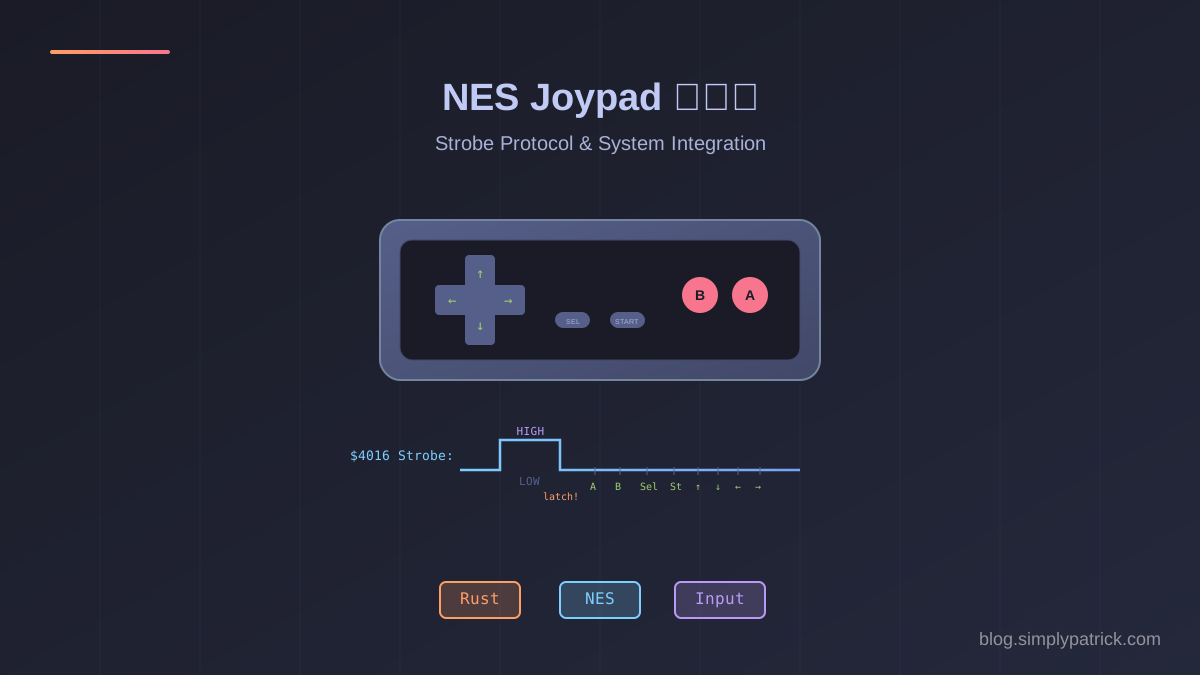
前兩篇我們完成了 NES 的 CPU 和 PPU——能跑指令、能畫畫面,但玩家還沒辦法操作。NES 的控制器看似簡單(就八個按鈕),但它用了一個很優雅的串列協議:CPU 透過 strobe 信號鎖存按鈕狀態,然後逐 bit 讀取——八次讀取拿到八個按鈕,就像一個 8-bit shift register。
這個專案不只實作了 joypad 的硬體協議,還負責把整個 NES 系統串起來——CPU、PPU、Mapper、Joypad 全部接在同一條 bus 上,最後做出一個可以真的玩遊戲的 NES 模擬器。
專案結構
nes-joypad/
├── Cargo.toml
└── src/
    ├── lib.rs              # 模組匯出
    ├── joypad.rs           # Joypad 核心:strobe/shift-register 協議(178 行)
    ├── input.rs            # 輸入映射:鍵盤 + 手把(99 行)
    ├── composite_io.rs     # 複合 Bus I/O 分發器(38 行)
    ├── system.rs           # 完整 NES 系統整合器(147 行)
    └── demos/
└── play/main.rs # NES 播放器 demo(98 行)依賴:nes-cpu、nes-ppu、nes-mapper,加上 optional 的 minifb(視窗)和 gilrs(手把)。
NES 控制器的硬體協議
NES 控制器只有 8 個按鈕——A、B、Select、Start、上、下、左、右——但 CPU 不是一次讀到所有按鈕的。它用了一個串列通訊協議:
為什麼要這樣設計?因為 NES 的 CPU bus 是 8-bit,但控制器只用了每次讀取的 bit 0。串列協議讓一個 I/O 位址就能讀完 8 個按鈕,節省了寶貴的位址空間。
1. Joypad 核心:四個欄位搞定一切
Joypad 的狀態非常精簡:
pub struct Joypad {
    /// 即時按鈕狀態(bit N = Button N 被按下)
    button_state: u8,
    /// 鎖存快照——strobe 下降沿時凍結
    shift_register: u8,
    /// 下一次讀取要回傳的 bit 位置(0-7,之後回傳 open bus)
    read_index: u8,
    /// strobe 信號狀態
    strobe: bool,
}
按鈕的定義用 enum 對應 shift register 的讀取順序:
#[repr(u8)]
pub enum Button {
    A = 0, B = 1, Select = 2, Start = 3,
    Up = 4, Down = 5, Left = 6, Right = 7,
}
#[repr(u8)] 確保 enum 的值就是 shift register 裡的 bit 位置——A 最先被讀出、Right 最後。
2. Strobe 協議:鎖存的藝術
Strobe 協議的核心在 write_strobe() 和 read_bit():
pub fn write_strobe(&mut self, val: u8) {
    let new_strobe = val & 1 != 0;
    if self.strobe && !new_strobe {
        // Falling edge: 鎖存並重置
        self.shift_register = self.button_state;
        self.read_index = 0;
    }
    self.strobe = new_strobe;
    if self.strobe {
        self.shift_register = self.button_state;
    }
}

pub fn read_bit(&mut self) -> u8 {
    if self.strobe {
        return self.button_state & 1; // strobe 開著時永遠回傳 A 鍵
    }
    if self.read_index < 8 {
        let bit = (self.shift_register >> self.read_index) & 1;
        self.read_index += 1;
        bit
    } else {
        1 // open bus
    }
}
幾個關鍵行為:
| 狀態 | 行為 |
|---|---|
| Strobe = 1 | 持續從 button_state 載入,讀取永遠回傳 A 鍵 |
| Strobe 1→0 | 鎖存:凍結當前按鈕狀態到 shift register |
| 讀取第 1-8 次 | 依序回傳 A、B、Select、Start、上、下、左、右 |
| 讀取第 9+ 次 | 回傳 1(open bus,標準控制器行為) |
為什麼 strobe 開著時只回傳 A 鍵? 因為在 strobe 模式下,shift register 每次讀取前都會被重新載入——等於 read_index 永遠停在 0,而 bit 0 就是 A 鍵。
3. 雙控制器匯流排:一個 Strobe 控兩隻
NES 支援兩個控制器,但 strobe 信號是共享的——CPU 寫入 $4016 時,兩個控制器同時被 strobe。讀取時則分開:$4016 讀 P1,$4017 讀 P2。
CompositeBusIo 把所有 I/O 設備統一到一條 bus 上:
pub struct CompositeBusIo {
    pub ppu_io: PpuBusIo,
    pub joypad1: Rc<RefCell<Joypad>>,
    pub joypad2: Rc<RefCell<Joypad>>,
}

impl BusIo for CompositeBusIo {
    fn read(&mut self, addr: u16) -> u8 {
        match addr {
            addr::JOYPAD1 => self.joypad1.borrow_mut().read_bit(),
            addr::JOYPAD2 => self.joypad2.borrow_mut().read_bit(),
            _ => self.ppu_io.read(addr),
        }
    }

    fn write(&mut self, addr: u16, val: u8) {
        match addr {
            addr::JOYPAD1 => {
                // Strobe 同時鎖存兩個控制器
                self.joypad1.borrow_mut().write_strobe(val);
                self.joypad2.borrow_mut().write_strobe(val);
            }
            _ => self.ppu_io.write(addr, val),
        }
    }
}
這個 38 行的模組是整個系統的「交通警察」——CPU 的每一次 I/O 讀寫都經過這裡,然後被路由到正確的設備(PPU 或 Joypad)。
4. 輸入映射:鍵盤與手把
模擬器需要把實際的輸入裝置映射到 NES 的 8 個按鈕。鍵盤映射很直覺:
pub fn keyboard_to_buttons(window: &minifb::Window) -> u8 {
    let mut state = 0u8;
    if window.is_key_down(Key::Up)    { state |= 1 << Button::Up as u8; }
    if window.is_key_down(Key::Down)  { state |= 1 << Button::Down as u8; }
    if window.is_key_down(Key::Left)  { state |= 1 << Button::Left as u8; }
    if window.is_key_down(Key::Right) { state |= 1 << Button::Right as u8; }
    if window.is_key_down(Key::Z)     { state |= 1 << Button::A as u8; }
    if window.is_key_down(Key::X)     { state |= 1 << Button::B as u8; }
    if window.is_key_down(Key::A)     { state |= 1 << Button::Select as u8; }
    if window.is_key_down(Key::S)     { state |= 1 << Button::Start as u8; }
    state
}
手把映射多了一個 deadzone 處理——類比搖桿在中心附近的微小偏移要過濾掉,避免誤觸:
// 左搖桿 deadzone = 0.5
if let Some(axis) = gp.axis_data(Axis::LeftStickX) {
    if axis.value() < -0.5 { state |= 1 << Button::Left as u8; }
    if axis.value() > 0.5  { state |= 1 << Button::Right as u8; }
}
最終的 state 是一個 u8 bitfield,可以直接用 |= 合併鍵盤和手把的輸入——兩者任一按下就算按下。
5. 完整 NES 系統整合
System 把所有元件串在一起:
pub struct System {
    pub cpu: Cpu,
    pub ppu: Rc<RefCell<Ppu>>,
    pub joypad1: Rc<RefCell<Joypad>>,
    pub joypad2: Rc<RefCell<Joypad>>,
    cpu_cycles: Rc<Cell<u64>>,
    ppu_cycles: Rc<Cell<u64>>,
}
初始化的接線圖:
bank switching] Mapper --> Bus[CPU Bus] Mapper --> PPU[PPU] Bus --> CPU[6502 CPU] subgraph CompositeBusIo PpuBusIo[PPU Bus I/O
catch-up ticking] JP1[Joypad 1] JP2[Joypad 2] end Bus -->|I/O delegate| CompositeBusIo PpuBusIo --> PPU CPU_CYC[cpu_cycles
Rc Cell u64] -.->|shared| CPU CPU_CYC -.->|shared| PpuBusIo PPU_CYC[ppu_cycles
Rc Cell u64] -.->|shared| PpuBusIo
from_rom() 的關鍵是共享狀態的接線——Mapper、PPU、Joypad 都用 Rc<RefCell<>> 包裝,因為多個元件需要同時存取它們。CPU 和 PPU 的 cycle counter 則用 Rc<Cell<u64>> 做零成本的共享。
初始化結束後,還要把 PPU「追上」CPU 的 reset cycle 數:
cpu.reset();
cpu_cycles.set(cpu.cycles);
let reset_ppu_dots = cpu.cycles * 3;
{
    let mut p = ppu.borrow_mut();
    for _ in 0..reset_ppu_dots {
        p.tick();
    }
}
ppu_cycles.set(reset_ppu_dots);
CPU reset 會消耗 7 個 cycle,PPU 需要追上 7 × 3 = 21 個 dot,確保兩者從一開始就同步。
6. 主迴圈:每幀一次的節奏
Demo 的主迴圈非常乾淨——每幀做三件事:讀取輸入、跑一幀模擬、更新畫面:
window.set_target_fps(60);

while window.is_open() && !window.is_key_down(Key::Escape) {
    // 1. 讀取輸入
    let mut p1_state = keyboard_to_buttons(&window);
    #[cfg(feature = "gamepad")]
    if let (Some(ref mut gilrs), Some(gp_id)) = (&mut gilrs_ctx, gamepad_id) {
        while gilrs.next_event().is_some() {} // drain events
        p1_state |= gamepad_to_buttons(gilrs, gp_id);
    }
    sys.joypad1.borrow_mut().set_buttons(p1_state);

    // 2. 跑一幀
    sys.run_until_frame();

    // 3. 更新畫面
    let ppu = sys.ppu.borrow();
    window.update_with_buffer(&*ppu.framebuffer, WIDTH, HEIGHT)?;
}
run_until_frame() 會一直呼叫 step() 直到 PPU 設定 frame_ready(VBlank 開始),然後把 256×240 的 framebuffer 丟給 minifb 視窗,用 3 倍 scale 顯示(768×720)。
gilrs 的 gamepad 輸入有個小細節:每次讀取前要先 drain 所有待處理的事件(while gilrs.next_event().is_some() {}),否則 gilrs 的內部狀態不會更新。
7. 測試:驗證硬體協議的每個角落
Joypad 的協議雖然簡單,但邊界情況不少。測試覆蓋了所有行為:
#[test]
fn read_order_matches_button_enum() {
    let mut jp = Joypad::new();
    jp.set_buttons(1 << Button::Start as u8);
    jp.write_strobe(1);
    jp.write_strobe(0);

    assert_eq!(jp.read_bit(), 0); // A
    assert_eq!(jp.read_bit(), 0); // B
    assert_eq!(jp.read_bit(), 0); // Select
    assert_eq!(jp.read_bit(), 1); // Start ← 只有這個是 1
    assert_eq!(jp.read_bit(), 0); // Up
    assert_eq!(jp.read_bit(), 0); // Down
    assert_eq!(jp.read_bit(), 0); // Left
    assert_eq!(jp.read_bit(), 0); // Right
}

#[test]
fn open_bus_after_8_reads() {
    let mut jp = Joypad::new();
    jp.write_strobe(1);
    jp.write_strobe(0);
    for _ in 0..8 { jp.read_bit(); }
    assert_eq!(jp.read_bit(), 1); // open bus
    assert_eq!(jp.read_bit(), 1); // 一直是 1
}| 測試 | 驗證行為 |
|---|---|
strobe_latches_all_buttons |
全部按下後 strobe,8 個 bit 都是 1 |
read_order_matches_button_enum |
讀取順序:A→B→Select→Start→↑→↓→←→→ |
open_bus_after_8_reads |
第 9 次以後讀取回傳 1 |
strobe_high_returns_a_button |
strobe 開著時只回傳 A 鍵 |
no_buttons_reads_all_zero |
沒按任何鍵,8 次讀取全是 0 |
multiple_buttons_simultaneously |
同時按 A 和 Right,正確回傳 |
總結
| 模組 | 行數 | 角色 | 核心 Pattern |
|---|---|---|---|
joypad.rs |
~178 | Strobe/shift-register 協議 | Falling edge latch + serial read |
input.rs |
~99 | 鍵盤/手把映射 | Bitfield OR 合併多輸入源 |
composite_io.rs |
~38 | Bus I/O 分發器 | Address-based routing |
system.rs |
~147 | 完整 NES 系統整合 | Rc<RefCell<>> 共享 + cycle sync |
demos/play |
~98 | NES 播放器 | 60 FPS frame loop |
Joypad 本身的協議很簡單——四個欄位、幾十行核心邏輯。但這個 crate 真正的意義是把所有東西串起來。CompositeBusIo 讓 CPU、PPU、Joypad 共享一條 bus;System 協調它們的時序;最後 demos/play 把這一切變成一個可以拿手把玩的 NES 模擬器。
下一步是 nes-mapper——NES 卡匣上的 bank switching 硬體,讓 32KB 的 CPU 定址空間能跑 512KB 甚至更大的遊戲。
參考資源
- NES Controller Protocol — 標準控制器的硬體協議
- nesdev.org Input Wiki — 所有 NES 輸入設備
- gilrs — Rust 跨平台手把輸入庫
- minifb — Rust 輕量視窗 framebuffer 庫